
How to Choose a Pan Tilt Video Platform in 2026?
Choosing the right Pan Tilt Video Platform in 2026 requires more than comparing camera resolution or promotional claims. Real performance depends on movement accuracy, network stability, software control, and long-term service support. A platform may look impressive in a showroom, yet respond slowly when monitoring a distant gate in heavy rain.
This guide examines the practical details that influence daily operation. It considers pan and tilt range, optical zoom, tracking performance, low-light clarity, and video latency. It also reviews installation requirements, storage options, cybersecurity practices, and compatibility with existing surveillance systems. These factors matter when an operator must follow a moving vehicle across a wide parking area or inspect a narrow warehouse aisle remotely. Hands-on testing remains valuable. Specifications alone rarely reveal how smoothly a camera changes direction.
No platform is perfect. A model with excellent zoom may provide weaker night footage. Another may offer advanced analytics but require costly subscriptions. That trade-off deserves attention. Buyers should request demonstrations, review warranty terms, and test controls under realistic network conditions. Independent evaluations and manufacturer documentation can support better decisions, but neither replaces careful field assessment.
The goal is not to identify one universal winner. It is to match reliable equipment with a location’s risks, budget, staff skills, and future plans. Careful comparison can reduce replacement costs and prevent disappointing results after installation. Small details often matter most.
What Is a Pan-Tilt Video Platform?
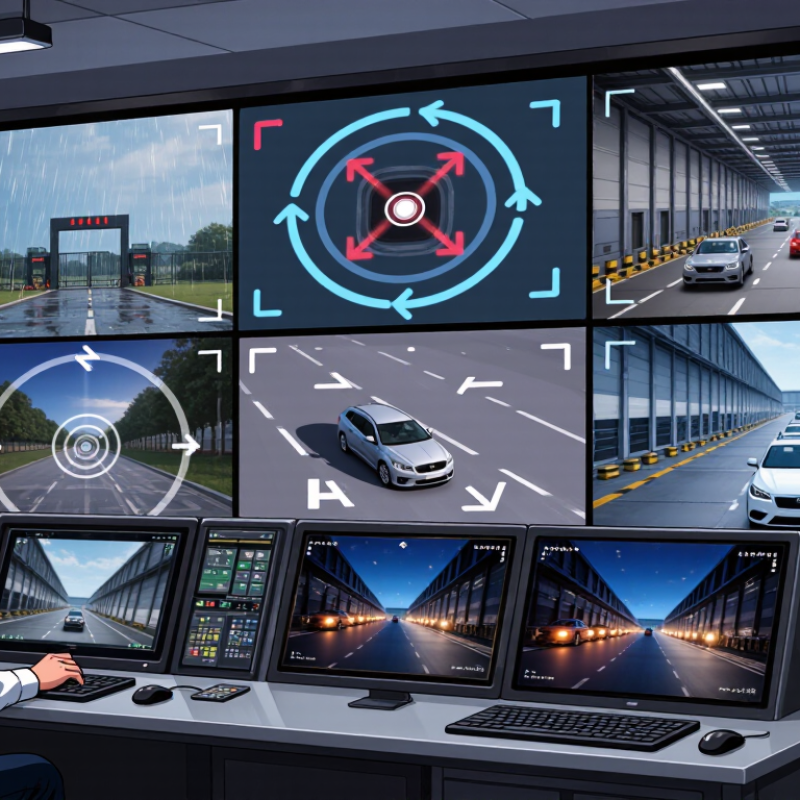
A pan-tilt video platform is more than a camera that turns left or right. It combines a movable camera head, pan-and-tilt motors, control software, network connectivity, and video storage. Some systems also add optical zoom, automatic tracking, event alerts, and evidence export. The platform’s value comes from coordinated movement and usable video, not movement alone.
Market data shows why this category is expanding. Grand View Research estimates the global video surveillance market will grow at about 10.9% annually from 2024 to 2030. MarketsandMarkets projects the video surveillance market could reach approximately USD 83.6 billion by 2029. These figures include fixed and movable systems, so they should not be treated as pan-tilt sales alone. That distinction matters.
In 2026, evaluate how quickly the platform reaches a target, holds a moving subject, and recovers after network loss. Check control latency with a person walking across a warehouse aisle. Test nighttime footage beside reflective glass. Review whether tracking fails when two people cross paths. It probably will sometimes. Storage, access permissions, firmware updates, and audit logs also deserve attention. NIST’s Cybersecurity Framework 2.0 supports examining governance, protection, detection, response, and recovery. I would also question impressive artificial intelligence claims without measurable accuracy data, false-alert rates, and independent testing. A smooth demonstration is not field evidence.
How to Choose a Pan Tilt Video Platform in 2026? - What Is a Pan-Tilt Video Platform?
A pan-tilt video platform is a remotely controlled camera mounting system that moves horizontally and vertically to expand coverage, support monitoring, and improve situational awareness.
| Platform Category | Typical Pan Range | Typical Tilt Range | Common Video Resolution | Optical Zoom Range | Typical Payload Capacity | Control and Connectivity | Recommended Environment | Key Selection Advantage | Main Limitation |
|---|---|---|---|---|---|---|---|---|---|
| Compact Indoor Pan-Tilt Platform | Approximately 300°–355° | Approximately −30° to +90° | 1920 × 1080 to 3840 × 2160 pixels | Fixed lens to 12× optical zoom | Usually up to 1.5 kg | IP network, Wi-Fi, USB, or serial control; common video protocols include RTSP and ONVIF | Meeting rooms, classrooms, reception areas, studios, and small control rooms | Low installation complexity | Limited weather protection, zoom range, and accessory capacity |
| Professional PTZ Video Platform | Continuous 360° pan | Approximately −30° to +90° | 1920 × 1080 to 3840 × 2160 pixels | 12×–30× optical zoom | Usually up to 3 kg | IP, SDI, HDMI, serial control, PoE, and centralized control software | Auditoriums, lecture halls, houses of worship, broadcast spaces, and event venues | Smooth movement and detailed framing | Higher cost and greater configuration requirements |
| Outdoor Weather-Resistant Platform | Continuous 360° pan | Approximately −40° to +90° | 1920 × 1080 to 3840 × 2160 pixels | 20×–40× optical zoom | Usually up to 5 kg | IP network, PoE or PoE+, fiber uplink options, serial control, and alarm I/O | Perimeters, parking areas, transport facilities, construction sites, and industrial yards | Broad outdoor coverage | Requires suitable mounting, surge protection, and environmental planning |
| Heavy-Duty Long-Range Platform | Continuous 360° pan | Approximately −45° to +90° | 1920 × 1080 to 3840 × 2160 pixels | 30×–50× optical zoom | Approximately 5–15 kg | IP or fiber networking, precision encoders, serial control, and industrial alarm interfaces | Large sites, ports, energy facilities, border areas, and critical infrastructure | Long-distance identification | High structural, power, maintenance, and installation demands |
| Thermal or Dual-Sensor Platform | Continuous 360° pan | Approximately −40° to +90° | Visible channel: usually 1920 × 1080 or 3840 × 2160; thermal channel varies by sensor | Visible channel: 20×–40×; thermal channel commonly uses fixed or motorized lenses | Usually up to 10 kg | IP networking, synchronized sensor control, alarm I/O, and video management integration | Night surveillance, smoke-prone areas, remote perimeters, and industrial inspection | Operation in low visibility | Higher price and additional training for thermal image interpretation |
| AI-Enabled Tracking Platform | Continuous 360° pan | Approximately −30° to +90° | 1920 × 1080 to 3840 × 2160 pixels | 12×–40× optical zoom | Usually up to 5 kg | IP networking, edge analytics, automatic subject tracking, event rules, and API integration | Public spaces, campuses, traffic monitoring, sports venues, and automated production areas | Reduced operator workload | Tracking accuracy can be affected by occlusion, poor lighting, and crowded scenes |
| Mobile or Vehicle-Mounted Platform | Typically 360° continuous pan | Approximately −20° to +90° | 1920 × 1080 to 3840 × 2160 pixels | 10×–30× optical zoom | Usually up to 5 kg | 12 V or 24 V DC power, IP networking, wireless links, vibration control, and GPS integration | Emergency response, temporary monitoring, mobile command units, and field operations | Flexible deployment | Needs stable power, vibration isolation, and reliable wireless coverage |
| Precision Inspection Platform | Approximately 180°–360° | Approximately −45° to +90° | 1920 × 1080 to 3840 × 2160 pixels | 10×–30× optical zoom | Usually up to 8 kg | Industrial Ethernet, serial control, trigger input, encoder feedback, and machine-vision integration | Manufacturing lines, laboratories, warehouses, and remote equipment inspection | Repeatable positioning | May require calibration and integration with specialized software |
| Installation and Integration Criteria | Confirm required field of view, blind spots, movement speed, preset positions, and continuous rotation needs | Match resolution to viewing distance, lighting, storage capacity, and identification requirements | Choose optical zoom for detail; treat digital zoom as a secondary feature | Include the camera, housing, illuminator, wiper, and other accessories in the load calculation | Verify bandwidth, power budget, cybersecurity controls, standards support, and compatibility with the video management system | Consider temperature, humidity, dust, wind, vibration, mounting height, and maintenance access | Best overall fit | Specifications should be validated against the complete installation rather than the platform alone | |
Note: The figures above are representative specification ranges for commonly deployed pan-tilt video platforms. Actual performance depends on the camera module, lens, housing, mounting structure, network design, environmental conditions, and software configuration.